Getting Workout Data Out of Everfit
Background
I have a personal trainer who assigns me workouts through an app called Everfit. I enter workout data on my phone, and he can see the results in a web dashboard (and chide me for skipping cardio). The app is good—I can log my sets and see videos of the exercises. But I can’t extract my data or build my own workouts.
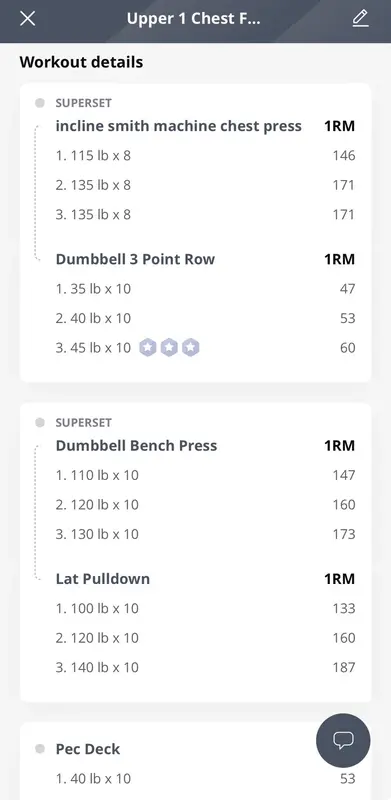
In the spirit of owning my data and stack, I want to extract months’ worth of workout data to build my own routine. I should be lifting progressively heavier. Ideally, I can load new workouts into another app that allows programmatic access, so I’m never locked-in to any one company.
Ethics
My workout data is my own, and I should be able to download it and take it wherever I want. I won’t publish the routine in fairness to my trainer, but I have no loyalty to Everfit and see no reason why I can’t download my data.
Challenge
Everfit does not have an export option. Their business model relies on coaches and clients staying on-platform—I pay my trainer a monthly fee, and he pays Everfit. I’m sure it’s great for the trainers, who have a dashboard of their clients and workouts, but for clients, the lock-in is restrictive.
So how do I get all the workout data out of the app? I could ask my coach for an export, but Everfit does not have a download option for them either (and goes against my coach’s interests, though I’m sure he’d oblige if he could).
Enter mitmproxy
I first heard of mitmproxy at work, when we were trying to debug a client’s corporate VPN issue. We used it to simulate a hostile corporate network and tried to make our streaming chat app work around it (we succeeded—fuel for another post perhaps).
Short for “man-in-the-middle” proxy, mitmproxy sits between a client and server and can do nearly anything with the intercepted traffic. For our purposes, we are interested in simply analyzing the traffic between the phone and Everfit’s servers.
The setup
Download and run mitmproxy on my Linux machine.
sudo pacman -S mitmproxy
mitmproxy
Direct all iPhone traffic through the proxy (requires certificate installation).
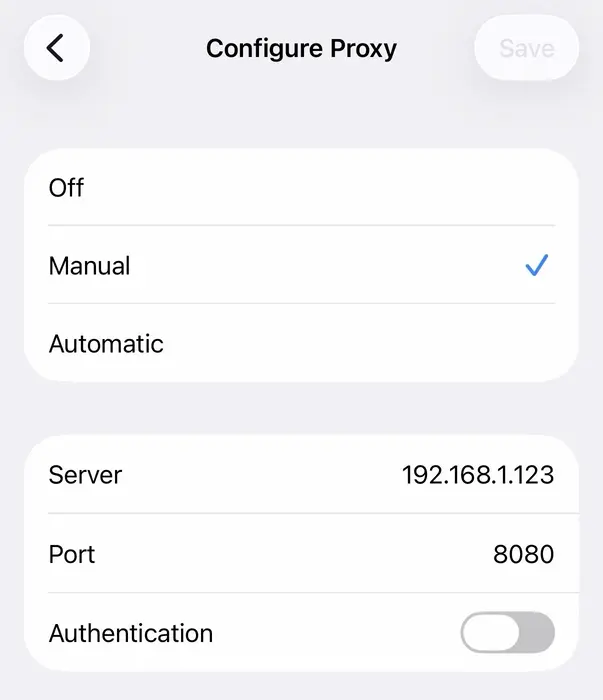
iOS Wi-Fi proxy settings pointed at the mitmproxy host Tap through some completed workouts on the phone to request the data from Everfit.
Record the traffic to see the request and response.
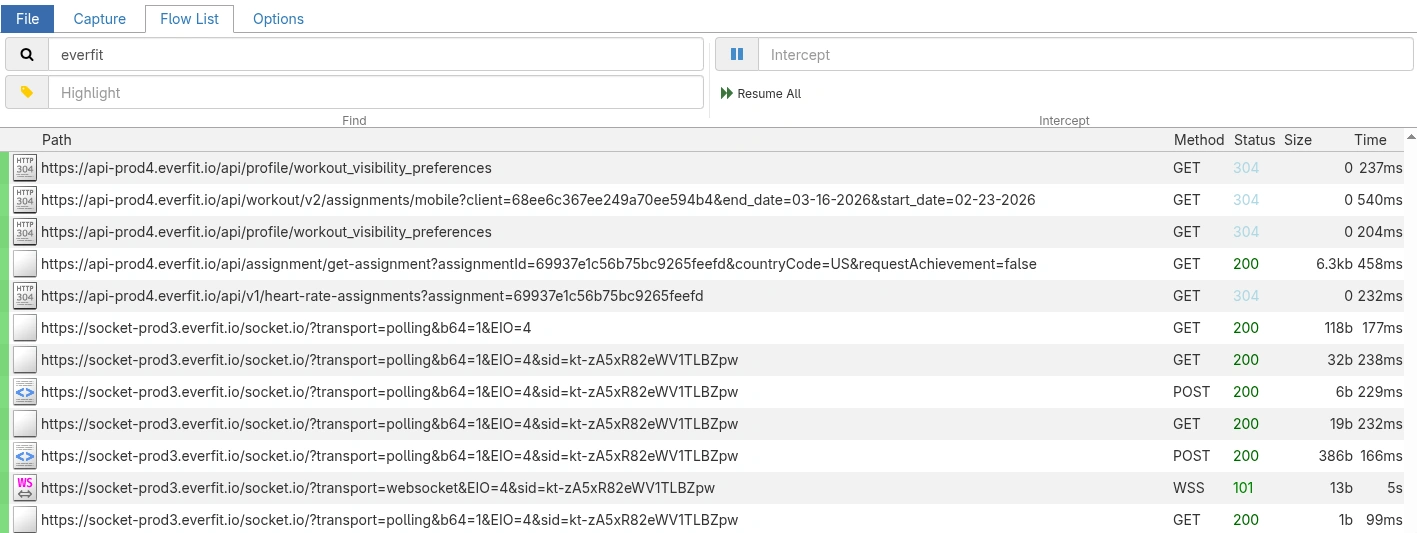
mitmproxy capturing the Everfit API request and response
The response
It turns out Everfit uses a simple REST API with JWT authentication.
GET https://api-prod4.everfit.io/api/assignment/get-assignment?assignmentId=...

{
  "data": {
    "title": "full body back focus",
    "day": "02-23-2026",
    "sections_target": [
      {
        "format": "regular",
        "exercises": [
          {
            "supersets": [
              {
                "container": "assignment",
                "exercise": {
                  "title": "Barbell Deadlift",
                  "search_title1": "Barbell Deadlift",
                  "search_title2": "BD",
                  "search_title3": "barbell deadlift",
                  "category": {
                    "kind": 0,
                    "title": "Barbell",
                    "description": "Weights x Reps",
                    "__v": 0
                  },...
Now that we know the pattern, we (Claude) can write a Python script to iterate through every assignment and save the results to a CSV.
The result
Claude wrote a Python script to replay the request with my authentication token (long-lived expiration, so I can reuse it for some time without mitmproxy). The script saved my data to a CSV, from which I can now build future workouts (using Claude).
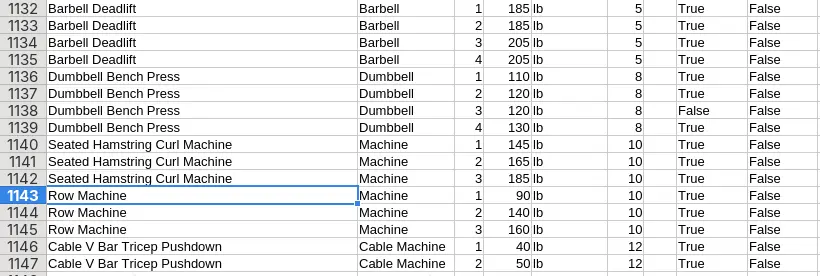
I’m trialing an app called Hevy, which has a free tier and allows data import and export. So I can prompt Claude, “build a workout routine based on my past workouts, vary it slightly, make target weights gradually heavier,” then import that workout into Hevy. Export the completed workout back to CSV, rinse and repeat (now without mitmproxy). If Hevy ever decides to lock down programmatic access or charge excessive fees, I can take my data elsewhere (or at the current rate of progress, build my own app).
The future is free and open. And heavy.